How to Choose the Best AI SEO Tools for Your Content Workflow
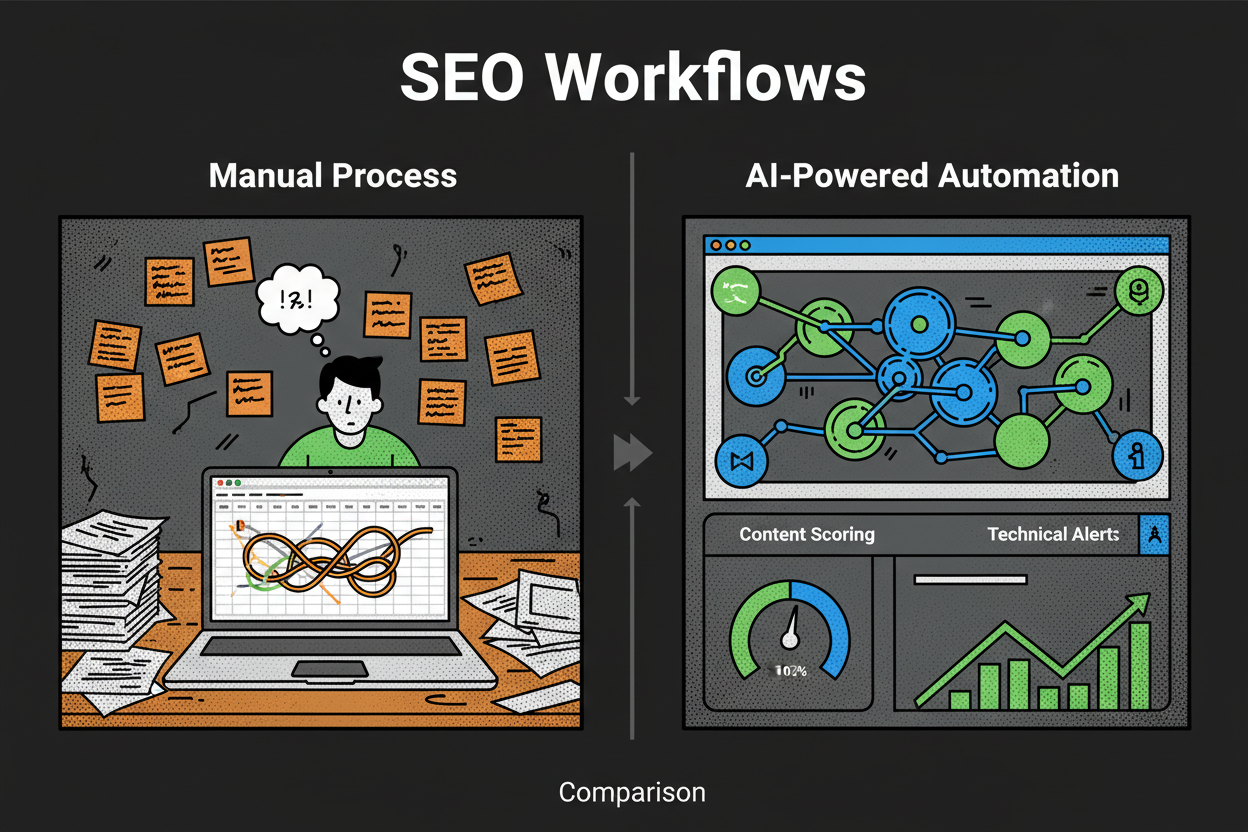
Atlas Content had the right people. Smart strategists, solid writers, a reliable dev. But their SEO workflow was stuck in the past. They were juggling keyword research in spreadsheets, copying SERP data into briefs, and manually grading content against competitors. Technical checks lived in a separate crawler export. Monthly reporting took three days and stole time from strategy. Sound familiar?
Posted by
 Oleg Kozynenko
Related reading
The Ultimate Guide to AI Powered SEO Content Strategy
Picture this. It’s Monday, 8:30 a.m., coffee in hand. You’re juggling 1,200 keywords in a spreadsheet, opening 11 tabs to compare SERPs, building briefs by hand, and begging teammates for internal link suggestions. By noon, you’ve written… a title. Now flip it. You upload those queries into an AI-orchestrated workflow. It clusters them by search intent, drafts a brief with entities to cover, surfaces internal link opportunities, and flags gaps against competitors. By noon, you’re editing a strong draft and planning the next cluster.
Streamlining Your SEO Workflow with All-in-One AI Tools
You know the drill. Five tabs open for keyword research, a spreadsheet for mapping topics, a separate crawler, a content editor plugin, and a reporting deck that takes half a day to update. By Friday, you’ve spent more time stitching tools together than actually moving rankings.
The Complete Guide to AI SEO Optimization for LLM Search
Your page ranks, but the answer at the top is generated by an AI and cites someone else. Painful, right? This is the new reality of ai search engines. They retrieve, reason, and synthesize answers from a small set of sources. If your content is not in that set, your ai search visibility suffers. This guide shows you exactly how to win that inclusion. You’ll get a practical system for AI SEO Optimization for LLM Search, so your best pages get retrieved, cited, and recommended in answer engines.
Table of Contents
- Introduction: Why AI SEO Tools Are Essential for Modern Content Workflows
- Understanding the Different Types of AI SEO Tools and Services
- Must-Have Features to Look for in an AI SEO Tool
- A Step-by-Step Framework for Choosing the Right AI SEO Tool for Your Team
- Common Pitfalls to Avoid When Selecting AI SEO Tools
- FAQ: Everything You Need to Know About AI SEO Tools
- Conclusion: Take the Next Step Toward Smarter, AI-Driven SEO
Introduction: Why AI SEO Tools Are Essential for Modern Content Workflows
Atlas Content had the right people. Smart strategists, solid writers, a reliable dev. But their SEO workflow was stuck in the past.
They were juggling keyword research in spreadsheets, copying SERP data into briefs, and manually grading content against competitors. Technical checks lived in a separate crawler export. Monthly reporting took three days and stole time from strategy. Sound familiar?
So they tested a stack of AI SEO tools. Keyword clustering cut research time from hours to minutes. Content briefs auto-pulled SERP insights and entities. Technical issues surfaced with clear, fix-first priorities. Reports built themselves from live data. Within a month, their team published more, shipped smarter, and focused on the big levers instead of the busywork.
That story mirrors what’s happening across the industry. Recent surveys show more than 70% of marketers now use generative AI in their workflows, including SEO and content production searchenginejournal.com. Teams that lean into AI publish about 42% more content on a typical month, which compounds across a quarter or two ahrefs.com. Many also report stronger ROI signals from AI-assisted workflows, especially when they combine research, optimization, and reporting inside one connected system semrush.com.
The need is real because search itself is changing. AI Overviews now appear across a large share of results, and when they do, top organic listings often see fewer clicks seo.comahrefs.com. That doesn’t mean SEO is dead. It means your job has expanded. You still need classic wins like keyword coverage and technical health. You also need to earn visibility in AI-generated summaries and track brand mentions across new surfaces semrush.com.
AI SEO tools help you do both. They remove friction at every step of your workflow and create space for strategy where it matters most.
- Research faster: cluster keywords, map intent, and spot gaps your competitors missed semrush.comahrefs.com.
- Optimize content with confidence: surface entities, headings, and terms tied to top results, then score drafts against live SERPs surferseo.com.
- Catch technical issues early: crawl, prioritize, and in some cases auto-fix problems that block rankings backlinko.com.
- Report what matters: roll up performance, highlight AI Overview citations, and explain shifts in traffic and CTR semrush.com. If you’ve felt the squeeze from flat traffic or slower organic growth, you’re not alone. As more searches end inside AI summaries and zero-click experiences, you need to be both faster and more precise. The right ai seo tools make that possible without burning out your team.
This guide gives you a simple, battle-tested way to choose the best fit. You’ll see how tools differ, the features that actually move the needle, and a clear framework to shortlist, trial, and select with confidence.
Understanding the Different Types of AI SEO Tools and Services
Let’s map the landscape so you can match tools to your workflow. Most ai seo tools fall into six buckets. Each does a different job and fits different team needs.
Content optimization tools help you plan and improve ai seo content. They analyze current SERPs, extract entities and topics, and score your draft against what’s ranking. Surfer, Frase, and MarketMuse are well-known for this. Surfer offers AI grading and action-led term suggestions with competitive mapping surferseo.com. Frase focuses on briefs, outlines, and SERP topic coverage. MarketMuse leans into deep topic modeling and content scoring.
Keyword research tools go beyond volume. They cluster, infer intent, and highlight gaps. Semrush’s Keyword Magic and clustering capabilities set a strong baseline surferseo.com. Ahrefs is equally strong for keyword discovery and intent mapping, with paid plans that typically start around entry-tier pricing seo.com. Some tools also pull in queries from Reddit or YouTube for topical breadth selfmademillennials.com.
On-page SEO tools automate the tedious stuff. They can rewrite metadata, suggest internal links, or implement schema. Alli AI is known for one-click fixes and automation across canonical tags, meta descriptions, and more seo.combacklinko.com. OTTO SEO supports metadata rewriting and internal linking to help pages tighten up signals searchatlas.com.
Technical SEO tools find and fix deeper issues. Screaming Frog remains a staple for crawling and diagnostics at scale backlinko.com. Some newer tools track how discoverable your content is for large language models, which adds a forward-looking layer to classic audits selfmademillennials.com.
All-in-one platforms consolidate research, content optimization, technical audits, and reporting. Semrush is the most established here, with a broad suite and AI-assisted workflows surferseo.com. Search Atlas positions itself as a full alternative for teams that want a connected toolset selfmademillennials.com. If you run WordPress, AIOSEO gives you a plugin-based approach to automate on-page tasks without leaving your CMS aioseo.com.
AI search and GEO tracking tools are newer but rising fast. They track how your brand appears in AI chats and generative search, not just the classic SERPs. Rank Prompt monitors prompt-level visibility across ChatGPT, Gemini, Claude, Perplexity, and more andersoncollaborative.com. Peec AI focuses on brand monitoring and analytics across LLMs. Gauge specializes in generative engine optimization with GEO analytics and reporting withgauge.com. This category complements your traditional toolkit by showing where AI is summarizing you, citing you, or skipping you entirely semrush.com.
So how do you choose between standalone tools, all-in-one suites, and an ai seo service?
Standalone tools shine when you need depth in one area. Think content optimization or technical fixes. You get specialized features and faster innovation. The tradeoff is stitching tools together and managing multiple subscriptions.
All-in-one suites reduce tool sprawl. You centralize research, optimization, audits, and reporting in one dashboard. That’s easier for onboarding, permissions, and training. The tradeoff is that not every module will be best-in-class for specialists.
AI SEO services add people and processes on top of the tech. These are agencies or consultants who bring tools with them or manage your tools for you. This is helpful if your team is small, your deadlines are tight, or your sites are complex.
Here’s how the main types compare at a glance. Pricing is typical starting price and subject to change.
| Type | Primary jobs to be done | Example tools | Typical starting price | Best for | Tradeoffs |
|---|---|---|---|---|---|
| Content optimization | Build briefs, score drafts, map entities, mirror SERP patterns | Surfer, Frase, MarketMuse | Surfer around $79/month, Frase around $14.99/month, MarketMuse around $149/month | Teams publishing frequently who want consistent ai seo content quality | Needs integration with your keyword and reporting stack |
| Keyword research | Discover, cluster, map intent, analyze gaps | Semrush, Ahrefs | Semrush around $139.95/month, Ahrefs around $99/month | Strategists who prioritize topic coverage and opportunity sizing | Requires pairing with on-page and optimization tools |
| On-page SEO | Automate metadata, internal links, schema | Alli AIAlli AI, OTTO SEO | Alli AI around $169/month; OTTO varies | Site owners who want quick wins without dev cycles | Automation can overgeneralize if not reviewed |
| Technical SEO | Crawl, diagnose, and often auto-fix issues | Screaming Frog, Alli AI | Screaming Frog free/paid; Alli AI around $169/month | Sites with scale or frequent changes | Requires expertise to prioritize fixes |
| All-in-one platforms | Research, optimize, audit, report in one place | Semrush, Search Atlas, AIOSEO | Semrush around $139.95/month; others vary | SMBs and agencies that want one dashboard | May lack depth vs. specialists in some areas |
| AI search/GEO tracking | Monitor LLM citations, prompt visibility, GEO analytics | Rank Prompt, Peec AI, Gauge | Rank Prompt around $29/month, Peec AI around €99/month, Gauge varies | Teams impacted by AI Overviews who need to track mentions and coverage | Newer category, evolving metrics and playbooks |
Not sure which route fits your team? Use this quick guide.
- Choose standalone when you’re solving a clear bottleneck, like inconsistent briefs or lingering technical issues.
- Choose an all-in-one ai seo tool when you want one login for research, content, technical audits, and reporting, and you value speed-to-adoption.
- Choose an ai seo service when you need expert help fast, your team is lean, or your site is complex across languages or markets. One more thought on GEO and LLM visibility. Traditional tools tell you how you rank on Google. GEO tools tell you how often you’re referenced in AI conversations and AI Overviews, which is increasingly tied to organic outcomes semrush.com. You don’t need to replace your core stack to start. You can layer Rank Prompt or Peec AI on top of Semrush or Ahrefs and get the best of both worlds andersoncollaborative.com.
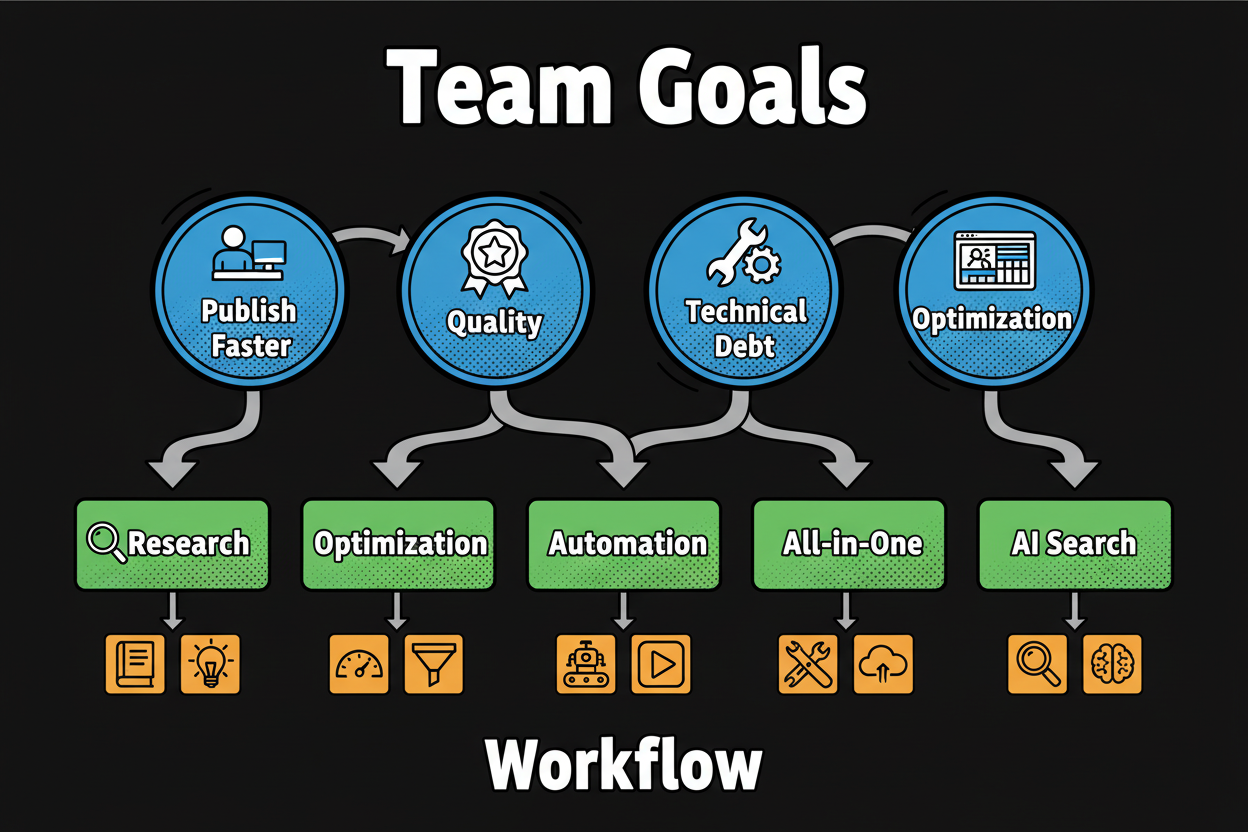
As you move to selection, keep your workflow front and center. If your writers struggle to match search intent, prioritize content optimization. If your dev queue is slammed, on-page automation and technical tooling will buy back weeks. If you need fewer vendors and clearer reporting, lean into an all-in-one suite. And if AI Overviews are cutting into your CTR, add GEO tracking so you can see where you’re missing citations and how to earn them seo.comahrefs.com.
Must-Have Features to Look for in an AI SEO Tool
Feature lists are noisy. What you need is signal. Use this annotated checklist to separate must-haves from nice-to-haves and to test claims in a structured way.
| Category | Specific feature | Why it matters | How to evaluate | Risk if missing |
|---|---|---|---|---|
| Content optimization | AI content briefs | Gives writers a consistent, SERP-aligned starting point | Generate 3 briefs for different topics and check entity coverage vs top 10 results | Inconsistent drafts, missed entities, more rewrites |
| Content optimization | Entity extraction | Ensures topical depth and E-E-A-T signals | Compare extracted entities to top-ranking pages; look for missed entities | Thin content that fails to rank for competitive terms |
| Content optimization | SERP intent alignment | Matches content type and angle to what wins now | Run for 5 queries and verify correct content type, angle, and depth | Great content that misses intent and underperforms |
| Content optimization | Content scoring | Quantifies optimization progress and gaps | Score a draft, then make changes and verify the score responds logically | No feedback loop, slower improvement cycles |
| Keyword research | Keyword clustering | Groups thousands of terms into clean topics | Test clustering on a 500-keyword set and inspect for leakage and duplicates | Cannibalization, redundant articles, planning chaos |
| Keyword research | Intent mapping | Aligns keywords to search goals (informational, commercial, etc.) | Spot-check 50 keywords; confirm intent labels reflect the SERP | Wrong page types, weak conversion paths |
| Keyword research | Gap analysis | Finds topics competitors rank for and you do not | Run a domain vs competitors report and export prioritized gaps | Missed opportunities, me-too content |
| Keyword research | Trend discovery | Surfaces rising topics before competitors | Check timeliness on 10 topics; verify trend signals with external interest data | Late to topics, lower CTR on stale content |
| On-page automation | Metadata generation | Speeds up unique titles and descriptions at scale | Bulk-generate for 50 URLs and review quality and uniqueness | Duplicate or low-quality snippets that hurt CTR |
| On-page automation | Internal linking | Improves crawlability and topical authority | Run on a sample section; validate anchors and placements | Orphan pages, weaker topic clusters |
| On-page automation | Schema builder | Enhances eligibility for rich results | Generate JSON-LD for key templates; validate in Rich Results Test | Missed SERP enhancements and lower visibility |
| Technical SEO | Site crawling | Finds critical sitewide issues quickly | Crawl 50k+ URLs without timing out; check JavaScript rendering | Blind spots in audits, slow fixes |
| Technical SEO | Issue prioritization | Focuses work on impact, not noise | Confirm issues include severity and traffic impact estimates | Wasted dev cycles, backlog fatigue |
| Technical SEO | Auto-fix options | Ships simple fixes without engineering | Test a safe-mode change for meta or canonicals and roll back | Slow iteration, repetitive manual work |
| AI search/GEO visibility | LLM citations tracking | Shows brand mentions across AI answers | Track a keyword set and validate citations on different LLMs | Invisible in AI answers, missed authority plays |
| AI search/GEO visibility | AI Overview monitoring | Flags when summaries appear and who gets cited | Monitor 100 keywords for AO presence and volatility | Unexplained CTR drops, no strategy for recovery |
| Reporting/analytics | Custom dashboards | Aligns stakeholders on the same KPIs | Rebuild your monthly report in under an hour with live connectors | Manual reports, inconsistent insights |
| Reporting/analytics | CTR change detection | Spots shifts tied to AI Overviews or SERP changes | Set alerts for CTR drops when AO appears; verify with samples | Slow reaction to ranking or SERP disruptions |
| Integrations | GSC/GA4 | Pulls ground-truth data automatically | Connect in minutes and confirm fresh data within 24 hours | Stale metrics, misalignment with analytics |
| Integrations | CMS connectors | Speeds publishing from briefs to live | Push a draft from the tool to staging without copy-paste | Broken handoffs, formatting issues |
| Integrations | Docs/Sheets/Slack | Keeps teams in their daily tools | Send a brief to Docs and alerts to Slack; test Zapier/Make recipes | Adoption friction, siloed data |
| Integrations | APIs/webhooks | Future-proofs your stack | Review API docs, rate limits, and webhook events; build a small POC | Vendor lock-in, brittle workflows |
| Collaboration/workflow | Roles and permissions | Protects data and enforces process | Create writer, editor, admin roles; test approval gates | Accidental changes, compliance issues |
| Collaboration/workflow | Templates and approvals | Standardizes quality at scale | Build a brief template and run a 3-step approval flow | Inconsistent output, QA bottlenecks |
| Security/privacy/compliance | GDPR/CCPA alignment | Reduces regulatory risk | Request DPA, review data flows, confirm consent controls | Legal exposure and procurement delays |
| Security/privacy/compliance | SOC 2/ISO 27001 | Signals mature security posture | Ask for attestations, pen test summaries, and subprocessor list | Higher breach risk, harder enterprise approval |
| Security/privacy/compliance | SSO/SCIM | Simplifies user lifecycle and access | Test SSO login and SCIM provisioning with IT | Account sprawl, offboarding gaps |
| Security/privacy/compliance | Data residency and opt-out | Controls where data lives and how it’s used | Verify data region options and opt-out from model training | Data sovereignty issues, IP leakage |
| Pricing/limits | Credits and crawl caps | Prevents surprise overages | Model 3 months of usage and check overage policies | Budget shocks, throttled campaigns |
| Support/SLA | Response times and onboarding | Keeps your team moving | Check SLA, meet your CSM, review success playbooks | Slow adoption, unresolved issues |
A quick story to make this real. A boutique agency built a content calendar across 12 product clusters without keyword clustering. Writers produced 18 articles that targeted overlapping terms. Rankings cannibalized, briefs contradicted each other, and two months later traffic was flat. After adding clustering and intent mapping, they consolidated duplicates, redirected overlaps, and saw clean improvements within a few weeks.
Here are the security and compliance questions procurement should ask:
- Do you offer a DPA and list subprocessors with regions and purposes?
- Can we opt out of model training on our content and prompts?
- Do you support SSO and SCIM for provisioning and deprovisioning?
- What data residency options are available by region?
- What logs are stored, for how long, and can we control retention?
- Do you have current SOC 2 or ISO 27001 attestations we can review?
- How do you handle vulnerability disclosure and bug bounty intake? Use the table to drive demos. Ask vendors to show the features on your data, not a canned account. If a claim matters, test it.
A Step-by-Step Framework for Choosing the Right AI SEO Tool for Your Team
Quick Answer: How to choose the best AI SEO tool for your content workflow
- Define goals and bottlenecks across publish velocity, content quality, technical debt, AI visibility, and reporting.
- Split features into must-haves vs nice-to-haves tied to those goals.
- Shortlist 3 tools that fit your budget and integrations.
- Run 10 to 14 day trials with a scoring rubric and real tasks.
- Pick the winner based on weighted scores, pilot it for 30 to 60 days, then standardize. Now let’s put structure behind those steps so you can move fast and avoid tool sprawl.
Start with goals and bottlenecks. Map your current workflow from research to reporting and mark where work slows or quality drops. Typical patterns: publishing speed stalls at briefs, content misses search intent, technical debt piles up, AI Overviews cut CTR, or reporting eats days. Write one sentence per bottleneck and add a measurable target, like reduce brief creation time by 50 percent or cut duplicative content by half.
Translate goals into must-haves. If publish velocity is the pain, you likely need AI briefs, clustering, and CMS integrations. If quality is uneven, prioritize SERP alignment, entity extraction, and content scoring. For technical debt, look for issue prioritization, auto-fixes in safe mode, and dev-friendly exports. If AI visibility is wobbling, you need LLM citation tracking and AI Overview monitoring. If reporting is a time sink, you want live dashboards tied to GSC and GA4.
Shortlist with budget and stack reality in mind. Create a list of three candidates that match your must-haves and integrate with your analytics and CMS. Two specialized tools plus one all-in-one suite is a healthy mix. Make sure procurement, security, and IT are aligned on requirements so you don’t stall later.
Run trials like experiments, not tours. Give each vendor the same tasks, the same data, and the same deadline. Assign a small test squad with a writer, an SEO, and a stakeholder from dev or analytics. Do real work: cluster 500 keywords, build 2 briefs, optimize 1 draft, run a site audit, and produce a one-page report with live data. Score everything with a simple rubric.
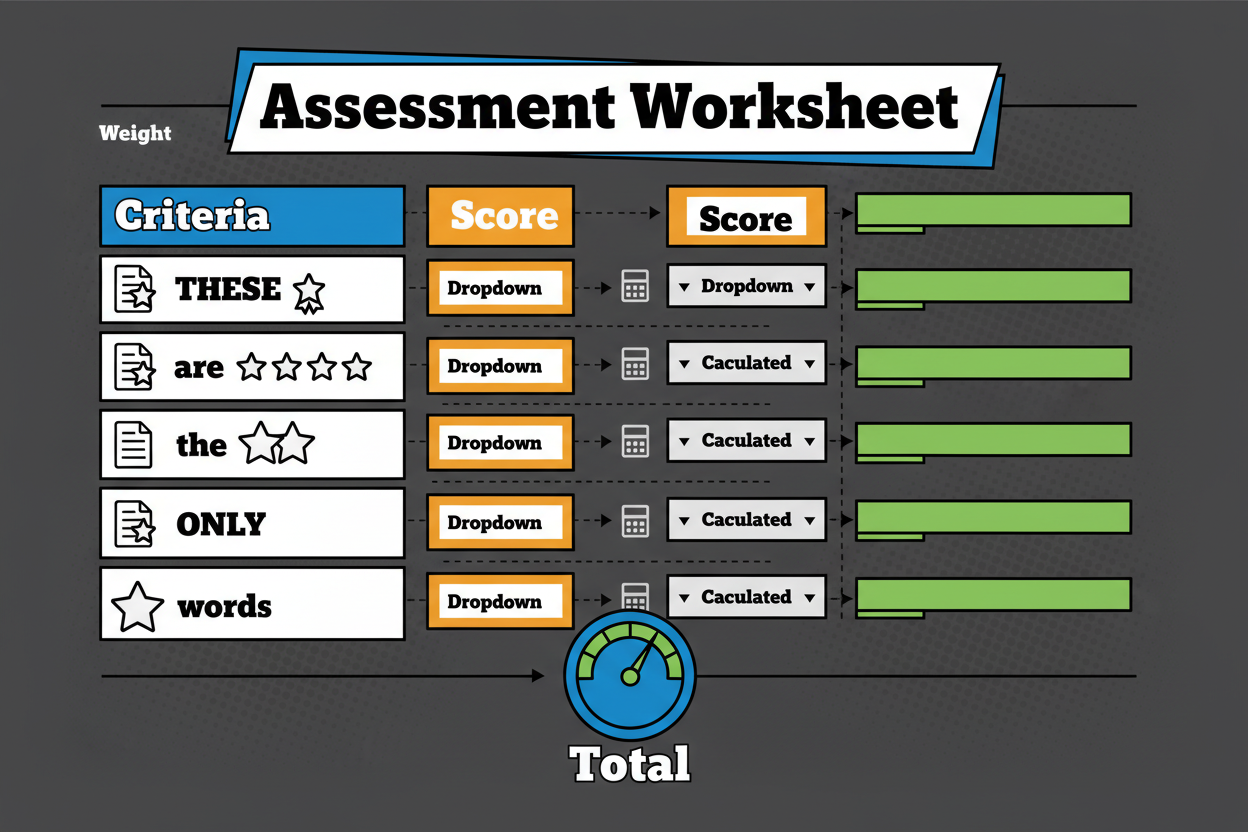
Here is a clean rubric you can use. Each criterion is scored on a 1 to 5 scale, with 1 being poor and 5 being excellent.
| Criterion | Weight | What a 5 looks like |
|---|---|---|
| Business fit | 30% | Directly solves your top bottleneck with measurable impact |
| Features | 25% | Must-haves are fully covered with depth, not just checkboxes |
| Integrations | 15% | Plug-and-play with GSC/GA4, CMS, Docs/Sheets, and automation |
| UX | 10% | Easy for non-experts, short learning curve, clear guidance |
| Support | 10% | Responsive team, onboarding plan, practical resources |
| Security/Compliance | 10% | DPA, SSO/SCIM, attestations, data controls meet policy |
To make decisions quickly, plug trial scores into a worksheet and let the math guide the discussion.
| Tool | Business fit (30%) | Features (25%) | Integrations (15%) | UX (10%) | Support (10%) | Security (10%) | Total out of 100 |
|---|---|---|---|---|---|---|---|
| Tool A | 4/5 = 24 | 5/5 = 25 | 3/5 = 9 | 4/5 = 8 | 3/5 = 6 | 4/5 = 8 | 80 |
| Tool B | 5/5 = 30 | 4/5 = 20 | 4/5 = 12 | 3/5 = 6 | 4/5 = 8 | 5/5 = 10 | 86 |
| Tool C | 3/5 = 18 | 3/5 = 15 | 5/5 = 15 | 5/5 = 10 | 5/5 = 10 | 3/5 = 6 | 74 |
How to run a 10 to 14 day trial that actually predicts success:
Keep scope tight. Day 1, define tasks and success metrics. Days 2 to 4, run keyword clustering and build briefs. Days 5 to 7, optimize a draft and generate on-page changes. Days 8 to 10, crawl and prioritize issues, then ship one safe auto-fix in staging. Days 11 to 12, build the report and review AI Overview visibility for a small keyword set. Days 13 to 14, hold a decision meeting and finalize scores.
Make sure what you test mirrors production reality. Use your real URLs, your CMS, and your dashboards. Validate clusters and entities against live SERPs. If a vendor cannot show the integration you need during the trial, treat it as a red flag.
When it is close, let the bottlenecks break the tie. For teams under pressure to publish more, bias toward the tool that crushes brief creation and clustering. If dev cycles are scarce, pick the platform with auto-fix and clean prioritization. If executives want faster insights, go with the tool that builds stakeholder-friendly dashboards and highlights AI Overview impacts.
After you pick a winner, run a short pilot with real stakes. Choose one content cluster, one technical fix bundle, and one reporting improvement. Set a single owner and a weekly checkpoint. Document setup steps and templates so you can standardize across the team.
Final note. Tools are not strategy, but the right ai seo tool removes friction that blocks strategy from happening. Use this framework once, then revisit it annually or when your goals shift. The discipline is the advantage.
Common Pitfalls to Avoid When Selecting AI SEO Tools
Tool selection mistakes don’t come from bad intentions. They come from speed, slick demos, and pressure to show wins fast.
It’s easy to chase shiny features or buy the most hyped all-in-one ai seo tool. But if it doesn’t fit your workflow, you’ll stall. The fix is simple: align on goals, test with real tasks, and use your scoring rubric.
Here’s a quick pitfall vs best practice view you can share with your team.
| Pitfall | Best Practice |
|---|---|
| Buying for flashy features, not outcomes | Tie every must-have to a bottleneck and KPI |
| Skipping integration checks | Validate GSC, GA4, CMS, and Docs/Sheets during the trial |
| Ignoring scalability and limits | Model your usage against credits, crawl caps, and seats |
| Underestimating onboarding and support | Ask for an onboarding plan, timelines, and named contacts |
| Misaligning with team skill level | Choose UX that matches your writers, SEOs, and dev capacity |
| Accepting vendor demo data | Run tests on your URLs, your keywords, your staging |
| Overcommitting to annual contracts too soon | Start with a monthly plan and a pilot, then scale |
| Neglecting security and compliance | Request DPA, SSO/SCIM, and subprocessor details early |
| Treating AI content as set-and-forget | Keep human reviews, fact checks, and brand voice controls |
| Chasing vanity metrics | Focus on rankings, CTR, conversions, and time saved, not tool scores alone |
A short story to make this real. A B2B software team bought an ai seo tool because the AI writer looked magical in the demo. It didn’t integrate with their CMS, briefs didn’t match search intent, and content shipped slower than before. After a month, they had 12 mediocre drafts, no schema improvements, and a dev queue full of manual fixes. They went back to trial mode, chose a platform with clustering, SERP-aligned briefs, and CMS connectors, and cut time-to-publish by half within one sprint.
Use this pre-purchase checklist before you sign anything:
- Confirm integrations with GSC, GA4, and your CMS
- Test keyword clustering on 500+ terms from your niche
- Generate 2 real briefs and score 1 live draft
- Run a crawl on your staging or a site section you control
- Verify credit usage, crawl caps, and overage policies
- Review DPA, SSO/SCIM, and model training opt-outs
- Align on onboarding milestones and a 30-day pilot scope Avoid these traps and your trial will tell you the truth. Next, let’s answer the big questions teams ask as they move from shortlist to buy.
FAQ: Everything You Need to Know About AI SEO Tools
Q: What is an AI SEO tool and how does it work? A: AI SEO tools use machine learning to analyze SERPs, extract entities, cluster keywords, and suggest optimizations. Many also generate structured briefs, draft copy, or recommend fixes for on-page and technical issues. Think of them as force multipliers that reduce manual research and give you point-in-time guidance.
Q: Will AI-generated content be penalized? A: Quality and intent match matter more than the method. If your ai seo content is original, accurate, useful, and clearly shows expertise, it can rank. Problems arise when teams publish unedited, generic drafts that miss the query’s purpose or include errors.
Q: How do I measure ROI from an AI SEO tool? A: Combine outcome metrics with efficiency metrics. Track rankings, CTR, traffic, and conversions per page or cluster. Then measure time saved on briefs, drafts, audits, and reports. A simple target is a 20 to 40 percent reduction in cycle time, plus steady gains in non-branded traffic.
Q: What’s the difference between an AI SEO tool and an AI SEO service? A: A tool gives you software. An ai seo service brings people and process to run that software and deliver outcomes. If your team is lean or your site is complex, a service can accelerate results. If you have in-house bandwidth, tools alone might be enough.
Q: How do I optimize for AI Overviews and generative answers? A: Cover the topic thoroughly, answer the core question up top, and include trustworthy sources and plain-language explanations. Use entities, FAQs, and schema to reinforce clarity. Aim to be the page AI wants to cite because it’s comprehensive, readable, and aligned to the searcher’s task.
Q: How can I track visibility in AI chatbots and LLMs? A: Look for ai seo tools that monitor citations and brand mentions across major LLMs and track AI Overview presence on your keyword set. Add these as companion metrics beside rankings and CTR so you can see where you’re cited, skipped, or misrepresented.
Q: Are AI SEO tools worth it for small businesses? A: Yes, if you keep scope tight. Pick a focused stack that handles keyword clustering, brief creation, and basic on-page fixes. A simple setup can save hours each week and help you publish consistently, which is where many small teams win.
Q: How do I ensure accuracy and trust with AI content? A: Use AI for speed, not final judgment. Keep human fact-checking, add real examples and quotes, and enforce brand voice. Build a short editorial checklist that flags claims, stats, and product details for review before anything goes live.
Conclusion: Take the Next Step Toward Smarter, AI-Driven SEO
Here’s your move. Pick three ai seo tools that align with your top bottleneck, then run a 10 to 14 day trial using the scoring rubric. Do real work on your data, not demo fluff. Let weighted scores guide the decision, not gut feel.
Once you select the winner, launch a tight pilot. One content cluster, one set of on-page improvements, one reporting upgrade. Document the setup, measure time saved, and ship. When the pilot hits its targets, standardize the process and roll it out to the rest of your workflow.
If you want a confidence boost, consider this quick win. A mid-market ecommerce team used the rubric to choose an all-in-one ai seo tool that nailed clustering, SERP-aligned briefs, and CMS publishing. They cut brief creation time by 60 percent, halved revisions, and recovered CTR on a product category that had been hit by AI Overviews. The strategy didn’t change. The friction did.
You’ve got the framework, the checklists, and the scoreboard. Now it’s just execution.

Key Takeaways
- Start with bottlenecks, not features, then map must-haves to outcomes
- Shortlist three candidates and run a 10 to 14 day, task-based trial
- Score with a weighted rubric to remove bias and speed decisions
- Pilot on one cluster and one fix bundle, then standardize and scale
- Keep humans in the loop for accuracy, brand voice, and trust
- Track both classic SEO and AI visibility metrics to see the full picture
{
"@context": "<https://schema.org>",
"@type": "Article",
"headline": "The Ultimate Guide to Choosing the Best AI SEO Tools for Your Content Workflow",
"description": "Discover a proven framework for selecting the best AI SEO tools. Compare features, avoid common pitfalls, and streamline your content workflow with confidence.",
"mainEntityOfPage": {
"@type": "WebPage",
"@id": "/blog/choose-best-ai-seo-tools"
},
"author": {
"@type": "Organization",
"name": "Your Organization"
},
"keywords": [
"ai seo tools",
"ai seo tool",
"ai seo service",
"ai seo content",
"all-in-one ai seo tool",
"ai-powered seo",
"seo automation",
"content optimization tools"
],
"wordCount": 0
}